
Agent Outbox
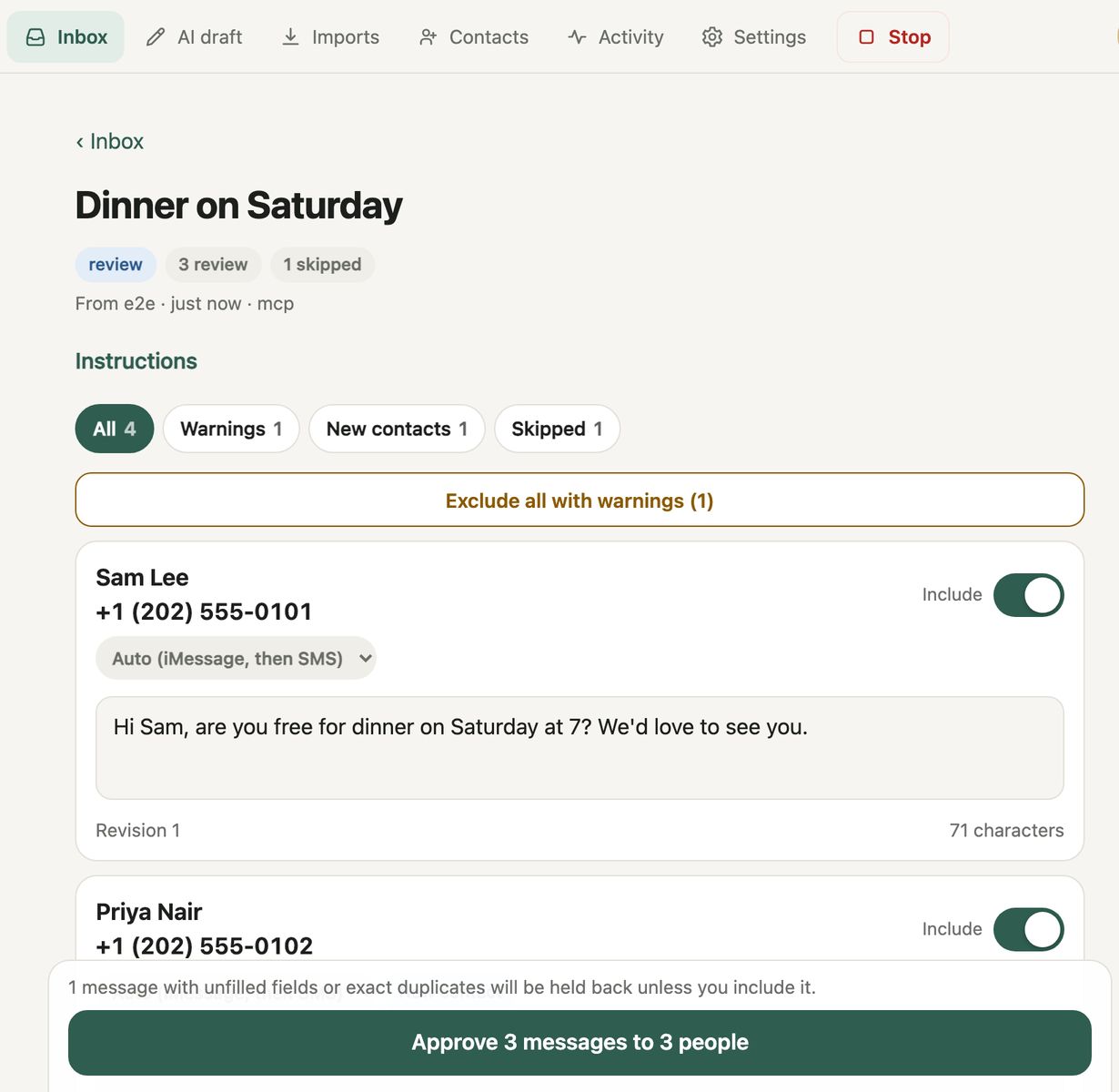
Let AI agents draft your texts. Nothing sends until you approve it with Touch ID.
- Your agent drafts. Claude Code or any MCP client writes messages and personalised batches. It has no way to send.
- You approve. Read, edit or skip each one on your Mac, then approve with Touch ID.
- Your Mac sends. A small separate program checks your signature and sends through Messages.
Install
Paste this into Claude Code or another coding agent:
Set up Agent Outbox on this Mac: clone https://github.com/ay2609/agent-outbox (or pull it if I already have it), read its README and run ./install.sh. Never use sudo. When it finishes, give me the setup link it printed and stop: I create the passkeys with Touch ID myself. Don't open that link, don't edit anything in ~/Library/Application Support/agent-outbox, don't run the harden command and don't change Settings. Then tell me to start a new session so the agent-outbox MCP tools load. From then on, draft messages with the outbox_* tools for me to approve in the dashboard; you can't send, so don't try.
Or by hand: git clone https://github.com/ay2609/agent-outbox.git && cd agent-outbox && ./install.sh. Needs macOS 14+, Bun and Xcode Command Line Tools.